Share a workout
Checked with app version1.0.63· Last updated
You can send a workout you built to a friend or to the climbers you coach. They get a copy they can use and change.
Send a workout
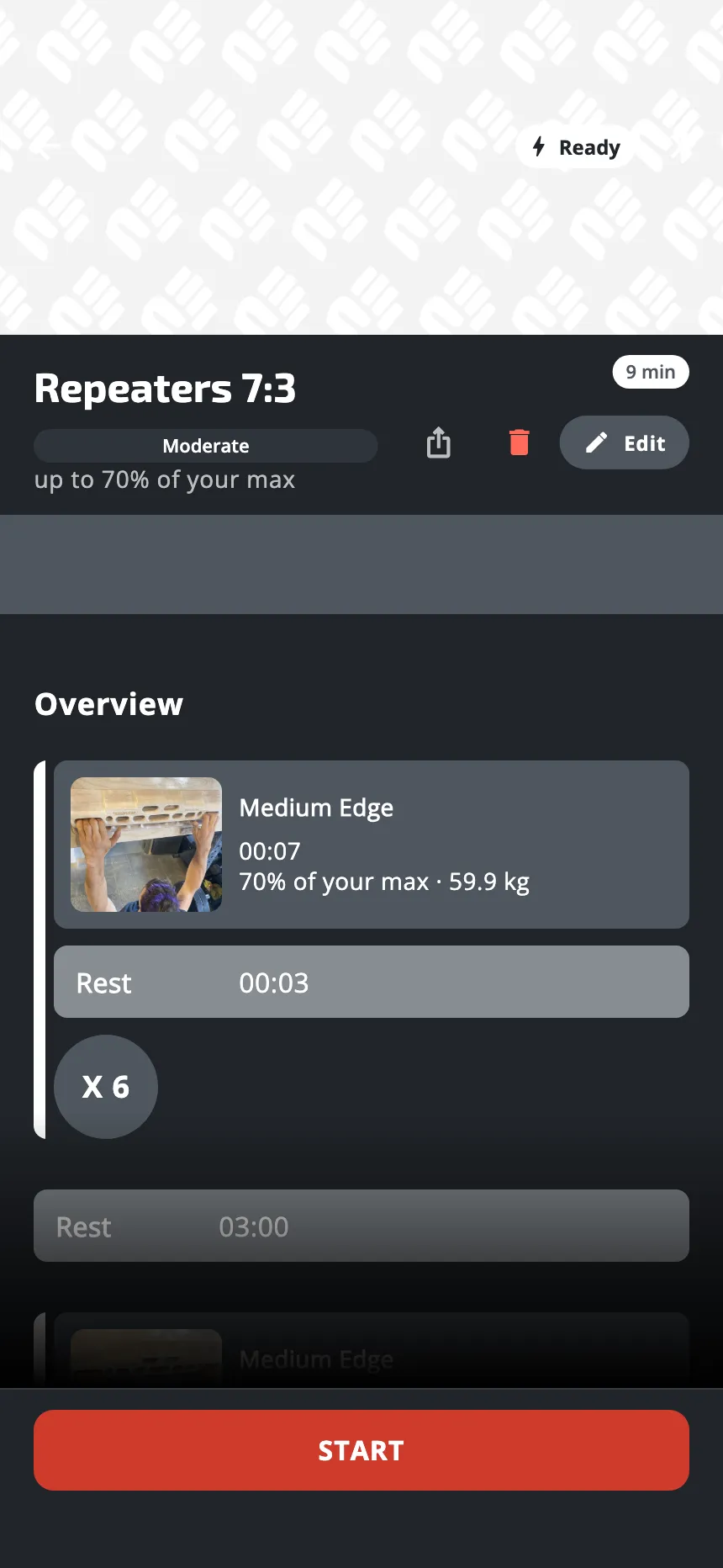
- On the Train tab, open one of your own workouts. Only a workout you built can be shared. To share a workout of the app, make your own copy first.
- Tap the share icon, at the top right of the workout’s page, next to the bin and Edit.
- Your phone opens its share sheet. Send the link by message, by e-mail, as you like.
Making the link, sending it again and stopping it all need a connection. Your friend needs one too, to open the link.
What your friend gets
Your friend taps the link on a phone that has the app. The app opens Shared workout: the title, the duration, your name if your account has one, and every set. They tap Save to my workouts, and the app opens their copy. If they open the link again, the button reads Open my copy. If a workout is running, the copy is saved and they open it when that workout is over. A load in % max is a share of your friend’s own max strength, not yours. A load in kg stays the same.
- Until they save it, the link shows the latest version of your workout, once your phone has sent your changes.
- The copy is theirs, and private. It goes under Custom workouts on their Train tab.
- The copy is taken at that moment. If you change your workout later, their copy does not change. If they change their copy, yours does not change.
- Exercises you made yourself are copied with the workout.
- They do not need an account to save it.
Send the link again, or stop sharing
Once a workout is shared, its share icon becomes a link icon. Tap it:
- Send the link sends the same link again.
- Stop sharing turns the link off at once, without asking you to confirm. Someone who opens it after that reads This workout is no longer shared.
Anyone who has the link can see the workout and save a copy, so send it only to people you want to have it.
Public workouts
The editor has another choice, Visibility: Private or Public. A public workout is offered to other users of the app in their own list, without a link. It can be public only if every exercise of your own in it is shared too. A link is the way to send a workout to one person.
Was this helpful?
Thank you. It tells us which articles to improve.