Work with a coach
Checked with app version1.0.63· Last updated
A coach can follow your training in the app: your plan, whether you did each session, and your test results. In the app, the coach can only read. Nothing in the coach’s app changes yours.
Both of you need an account. The invite always comes from the coach.
If you are the climber
With a link. Your coach sends you a link. Open it on your phone. The app shows who wants to follow your training and what they will see. Tap Accept. Nothing is shared before you tap it.
With a code. Your coach gives you a code of 8 characters. Open Profile, then Coaching, tap Share with a coach and type the code.
If you have no account yet, the app asks you to create one or to sign in first. It keeps the invite while you do.
An invite works once, and for one week. If yours no longer works, ask your coach for a new one.
What your coach sees
- Your training plan, and whether you did each session.
- Your test results.
- What you answered about injuries in your profile. The invite does not list this one: know it before you accept.
Never your force curves, and never the recording of a session.
Stop sharing
Open Profile, then Coaching. Under your coach’s name, tap Stop sharing, then confirm. The app ends the link, and your coach no longer sees your training. You can do this at any time.
If you are the coach
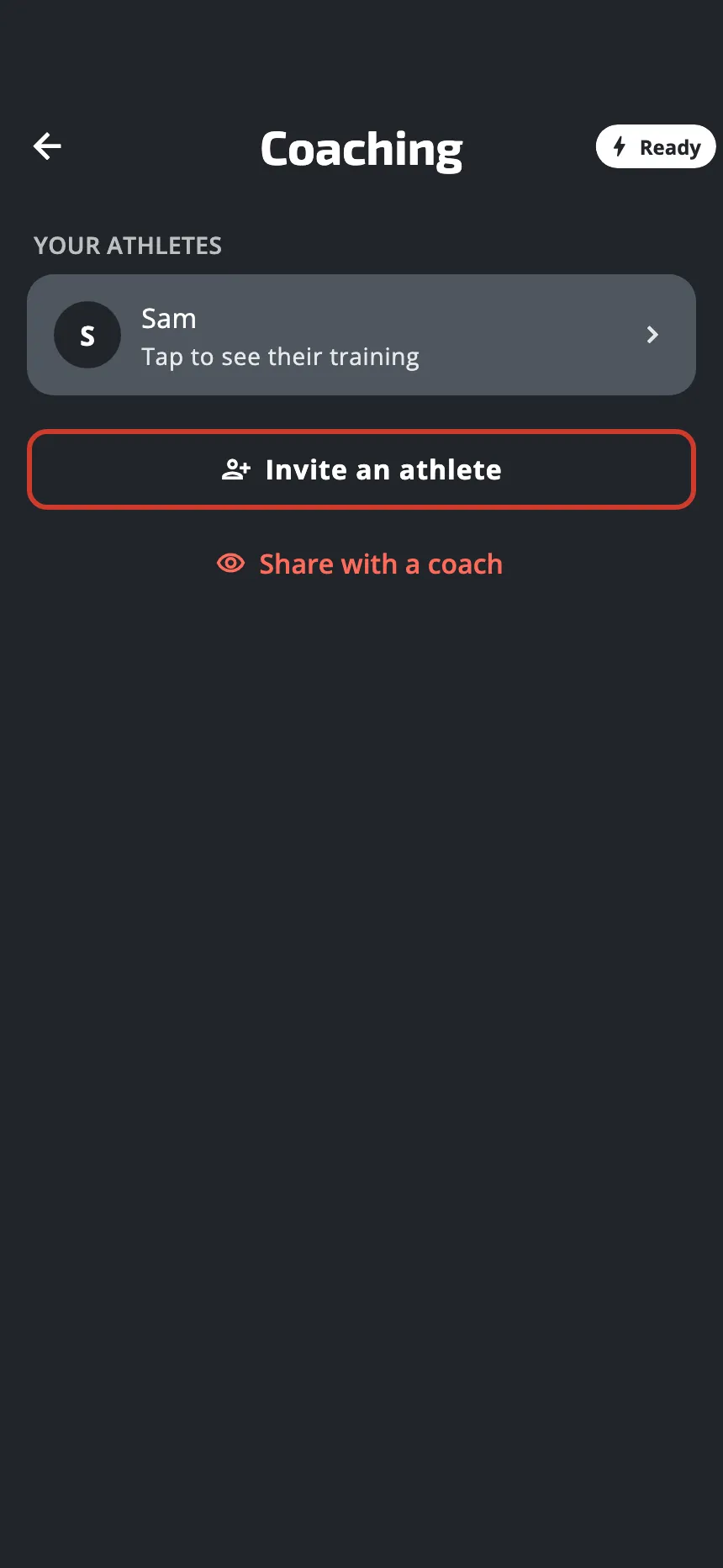
- Open Profile, then Coaching, and tap Invite an athlete.
- The app shows a code. Tap Share link to send the link, or Copy code and give the code yourself.
- Until your climber accepts, the invite waits in your list of athletes.
When they accept, they are in Your athletes. Tap a name to read:
- the sessions done out of those planned so far, and a bar for each of the last 8 weeks;
- the plan they follow, and the week they are in;
- their test results: max strength, critical force and finger profile, each with its change since the oldest result of the same setup and hand;
- what they said about injuries.
You cannot change their plan from your phone. To give them a workout, share it with a link.
To stop following a climber, open their page and tap the icon at the top right, a person with a minus sign. Either of you can end the link.
Was this helpful?
Thank you. It tells us which articles to improve.