A session did not save
Checked with app version1.0.63· Last updated
Look in Profile, then Activity History. A session is saved on your phone the moment it ends, before anything is sent. If it is in that list, it is not lost.
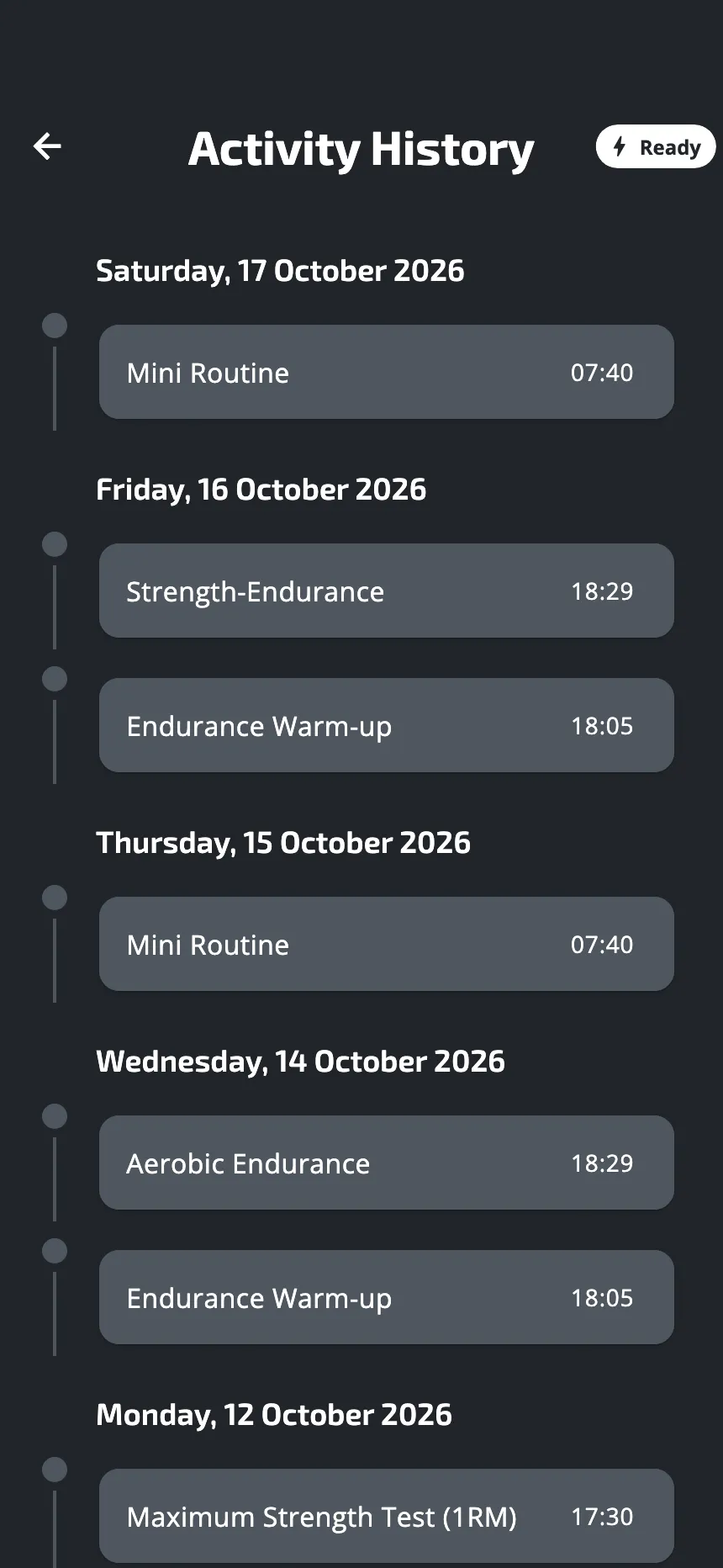
How a session is saved
- On your phone, at once. When the screen says Workout completed, the session is stored on the phone. You need no connection for that.
- Then to your account. The app sends it in the background. With no connection it waits, and sends it by itself when the connection is back, or the next time you open the app. There is nothing to tap.
How to tell whether it was sent
In the history, a small icon beside a session says so. Press and hold the icon to read it:
- a cloud with an arrow: Waiting to upload. It will go by itself.
- a crossed-out cloud: the upload failed.
- a flag: Left early. You left the session before its end.
No icon means the session is in your account.
If it still shows the crossed-out cloud
The app tries again by itself. After several failed tries, it stops trying, and the session stays on your phone. If the crossed-out cloud is still there after a day online, write to us. Until then do not log out, do not delete the app and do not delete your account: each of them removes the session from the phone.
When a session is not kept
- You left before finishing one hang. There is nothing to save.
- You left a test before its end. A test left early gives no usable result, so it is not saved.
- The app was closed in the middle of a session. A session is saved when it ends, or when you leave it and confirm. A session of your plan is the exception: start that block again and it picks up where it stopped. The hang that was under way starts again from zero.
When you leave a workout after at least one finished hang, the app says so before you confirm: what you did is saved, marked Left early.
Before you log out
Logging out empties the phone for the next person. The app first sends everything it still holds. If something could not be sent, it stops and says Not on the server yet, with the list. Tap Cancel, connect to the internet, and try again. Sign out anyway deletes what is on that list.
Without an account
You can train without an account. Your sessions are saved on the phone and sent online all the same. An account is what lets you find them again on another phone: Profile, then Log in.
The screen says “Partly saved”
Partly saved means some details of the session could not be saved to your account. Your force data is safe. Your account kept the session but not the detail of each hang, so a test in it may show no result. There is nothing to do on your side: tell us if it happens often.
Was this helpful?
Thank you. It tells us which articles to improve.